Skip to content

Praxi: Built by a psychologist

Make room
for the human.

Appointments, clinical notes and practice admin, all in one place. For psychologists, counsellors, social workers, psychotherapists and mental health nurses.

The Praxi web app

A practice operating system
that feels like home.

The work of your practice, connected. Move from appointments to clinical notes, client messages and billing in one shared workspace. Client records stay in Australia, and clinical AI runs only in Australian regions, so the AI you use sits on a secure base. Explore the features.

Praxi is invitation-only while we onboard our first practices. Read about security and privacy.

Calendar and desktop toolbar Click to enlarge
Praxi calendar showing a full day across eight practitioners, with the desktop toolbar

Praxi for practitioners

Your practice.
At your fingertips.

Prepare for your next session, keep track of follow-ups and get help with a first draft. Your clinical judgement stays at the centre.

Praxi iOS app coming soon.

A place to ask. A place to start.

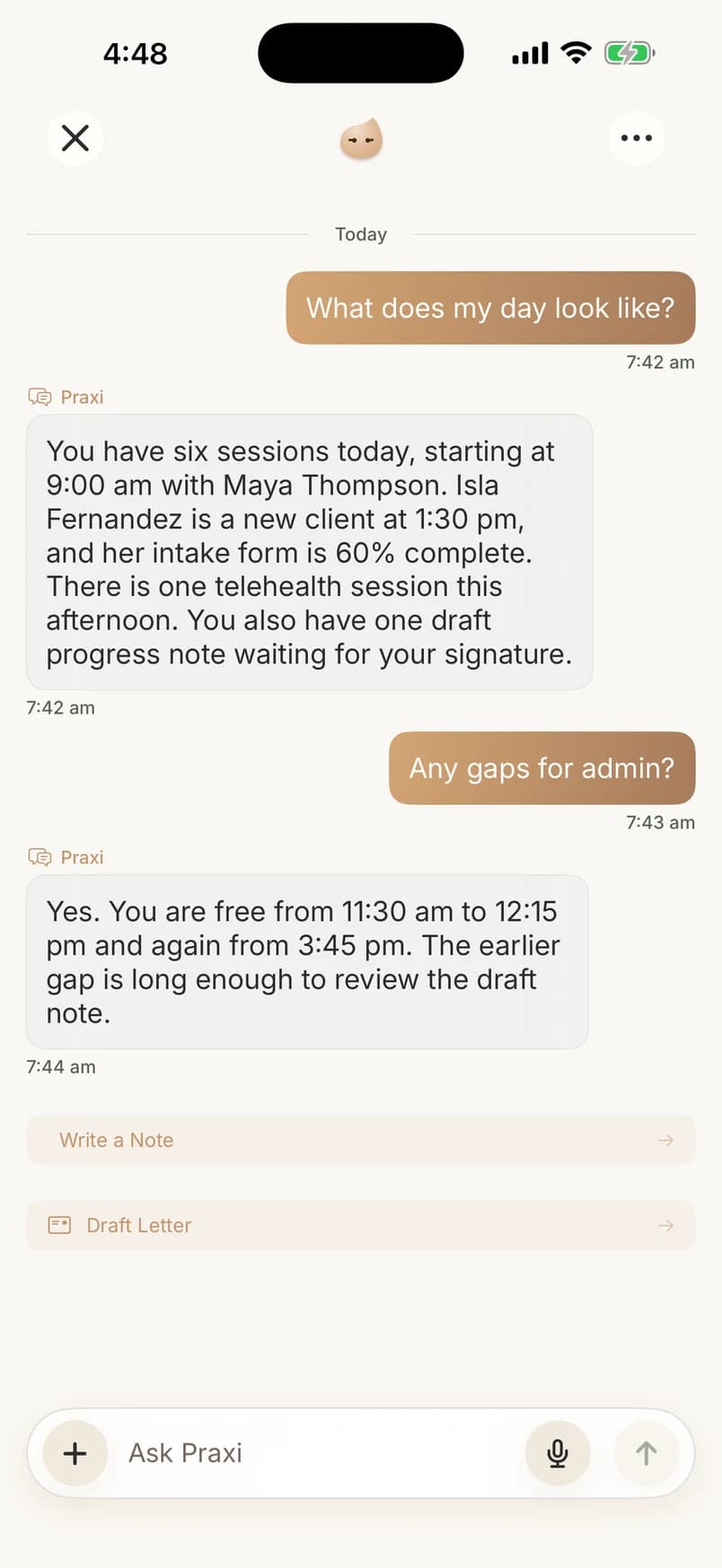
Ask about your appointments and gaps for admin, or start a draft with Praxi AI. Review, refine and approve before anything becomes a clinical record.

Praxi iOS preview, coming soon: demo conversation about appointments and gaps for admin
Actual practitioner iOS app · demo data

Scroll to explore, or choose a screen above. Other controls are shown for context.

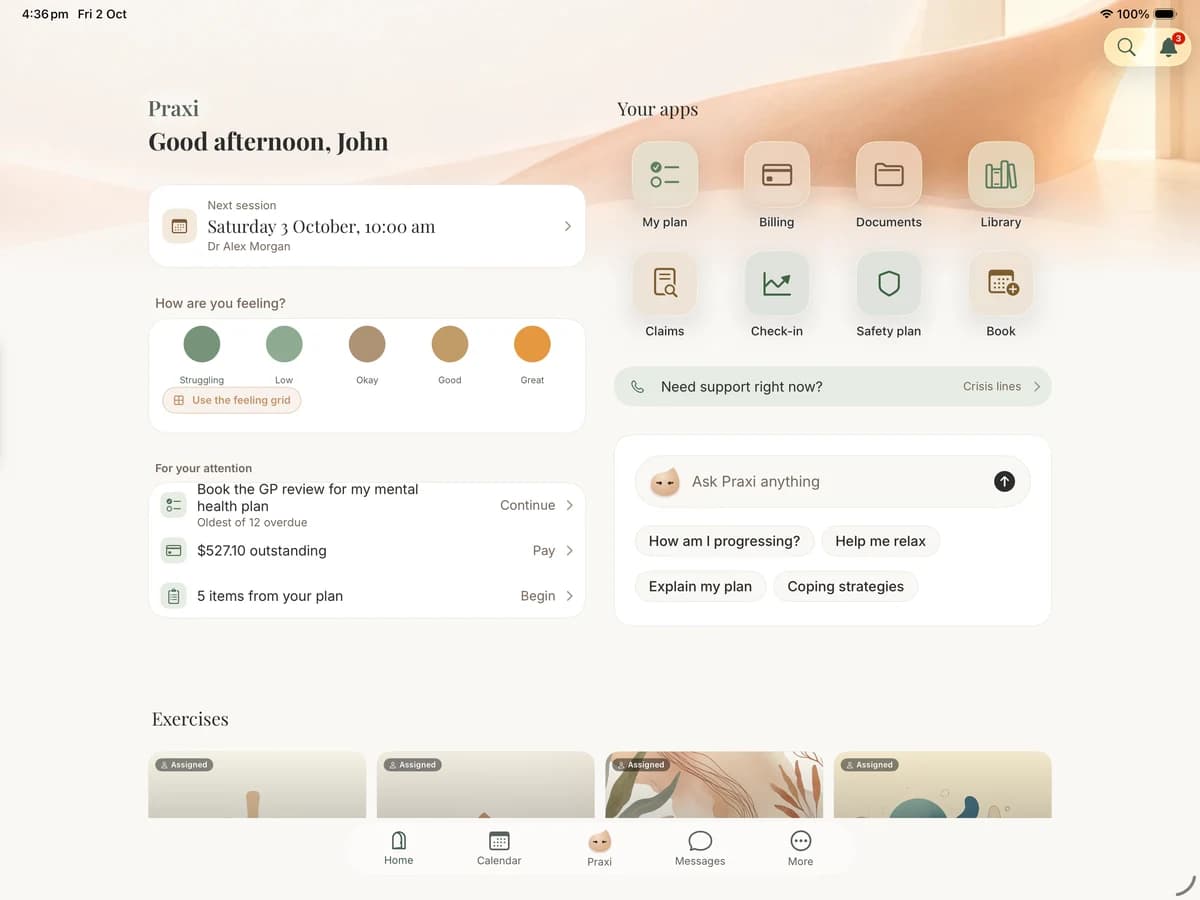
Praxi Portal client iOS app preview, coming soon: home with a wellbeing check-in, upcoming session and plan reminders, using demo data
Actual client iPad app · demo data

Praxi for clients

Help them feel ready.
Before they arrive.

A personal place for appointments, forms and information shared by their practitioner.

Praxi Portal client iOS app coming soon.

Scroll through Home and Calendar, or choose a tab. Other controls are shown for context.

Explore the real app screen in detail. This preview does not submit any information.

Praxi for clients

Actual client iPad app · demo data · coming soon

Praxi Portal client iOS app preview, coming soon: home with a wellbeing check-in, upcoming session and plan reminders, using demo data
Make room for the human · a 90-second film
Read the film transcript

Peter Hanley narrates over music.

I became a psychologist to help people. To listen. To be there when it matters.

But between the work, the bills and everything that needs doing, I rely on technology to keep up.

I knew I wasn't the only one. So many of us spend our days caring for others, then struggle to make room for our own lives.

That's why I built Praxi - a secure online practice management platform for humans and agents, that feels like home.

At the start of the day, I want to see what needs my attention. Who I'm seeing. What needs preparing. And what's still waiting for me.

One place for my calendar, tasks, notes and the team around me. Fewer tabs. Less joining everything together.

AI to help with the work, with my judgement, and my responsibility, at every step.

And when I'm away from my desk, my practice is still within reach.

Technology won't solve everything. But thoughtfully designed technology can make life a little easier.

More room to listen. More room for the people we love. And the moments we don't get back.

Praxi is here to make room for the human.

The reason behind Praxi

A practice.
And a life.

I’m a practising psychologist in Melbourne. I know what it is to care about the person in front of you, and still be thinking about everything waiting afterwards.

Praxi grows from a simple belief: technology should help us make room for the work we care about, and the people we’re doing it all for.

Take the practice tour

Peter Hanley
Peter HanleyPsychologist & founder of Praxi

Before you step inside

A few practical
questions.

Who is Praxi built for?

Praxi is practice software for psychologists, counsellors, social workers, psychotherapists and mental health nurses, built by a practising psychologist. Explore the features to see how they fit your role and practice.

Explore the features

Who reviews the AI-generated notes?

You do. AI-assisted notes are a draft: you review, refine and decide what belongs in the clinical record.

Read about AI transparency

How would I move my practice?

Review your source system’s export, preview the import and check what will move before committing it. The switching guide explains supported data and available help.

Explore switching to Praxi

Where can I check pricing and privacy?

See the current plans and inclusions on the pricing page. The Trust Centre explains Praxi’s security and data practices.

View pricing

Visit the Trust Centre

Make room
for the human.

Request an invitation